
|
|
Using NetexG with COMSOLCOMSOL Multiphysics is a powerful simulation software used in engineering, manufacturing, and scientific research. It allows engineers to model and analyze complex physical phenomena, including electromagnetics, heat transfer, structural mechanics, fluid flow, and acoustics. For printed circuit board (PCB) design, COMSOL can simulate electrical and thermal behavior, helping engineers evaluate and optimize their designs. To perform these simulations, PCB layout data must first be converted into suitable geometric models. Artwork's NetexG provides this interface, converting PCB manufacturing data from ODB++, Gerber, and IPC-2581 into clean 3D geometry that can be imported into COMSOL for meshing and analysis. Importing an ODB++ PCB DesignODB++ is a PCB manufacturing data format that brings together the information needed to describe a board. An ODB++ job can contain the complete layer stackup, including signal traces, copper planes, pads, solder mask, silkscreen, drill data, board outlines, and component information. It can also carry layer thicknesses, material and stackup information, and electrical net connectivity. Unlike a collection of separate Gerber and drill files, this information is organized in a single ODB++ job, often distributed as a compressed archive. 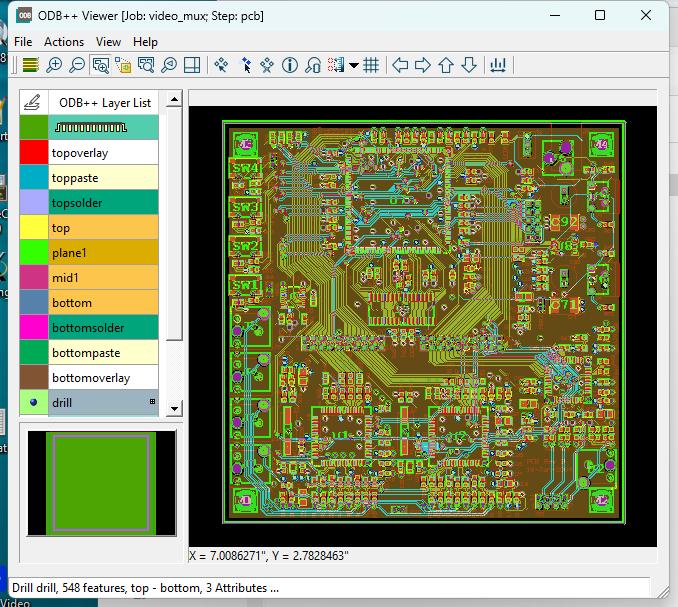
The PCB design and manufacturing data displayed in the ODB++ Viewer. Reading ODB++ with NetexGThe example below shows the NetexG main window after importing the ODB++ job video_mux.tgz. NetexG reads the ODB++ data and converts its layers into Gerber-based artwork for processing. The displayed stackup includes four metal (signal) layers. NetexG also supports IPC-2581, an alternative PCB data-exchange format to ODB++, so the same workflow can begin with either format. 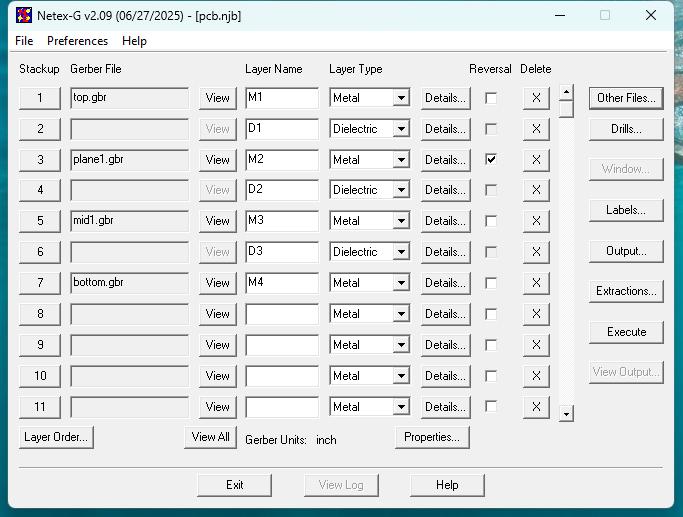
NetexG after importing video_mux.tgz, showing the four metal layers in the PCB stackup. Additional PCB Manufacturing LayersIn addition to the metal layers, NetexG provides access to the other manufacturing layers and features needed to represent the PCB. These can include solder mask, silkscreen, board routing and outlines, drill information, and component-related data. Users can select the layers relevant to their simulation rather than limit the model to the copper traces alone. 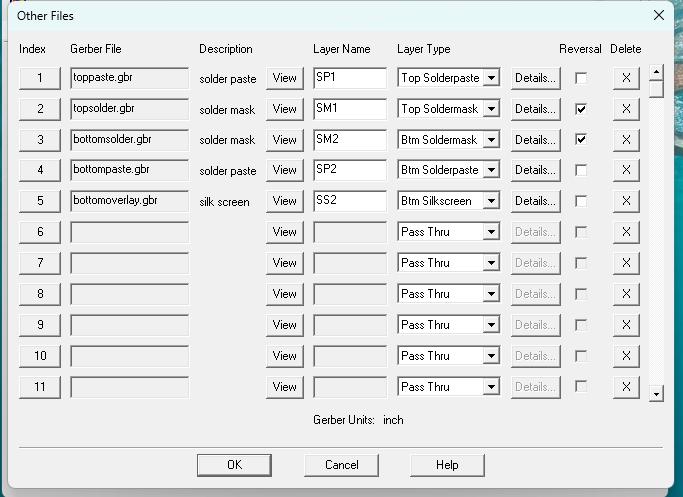
Additional manufacturing layers available in the imported PCB job. Viewing and Preparing the 3D PCB ModelNetexG prepares the imported layers for 3D output, which can be inspected in Artwork's 3D Viewer. The viewer lets users zoom and rotate the board, examine it from different angles, identify elements, and turn individual layers on or off. The first image shows the full board from above. 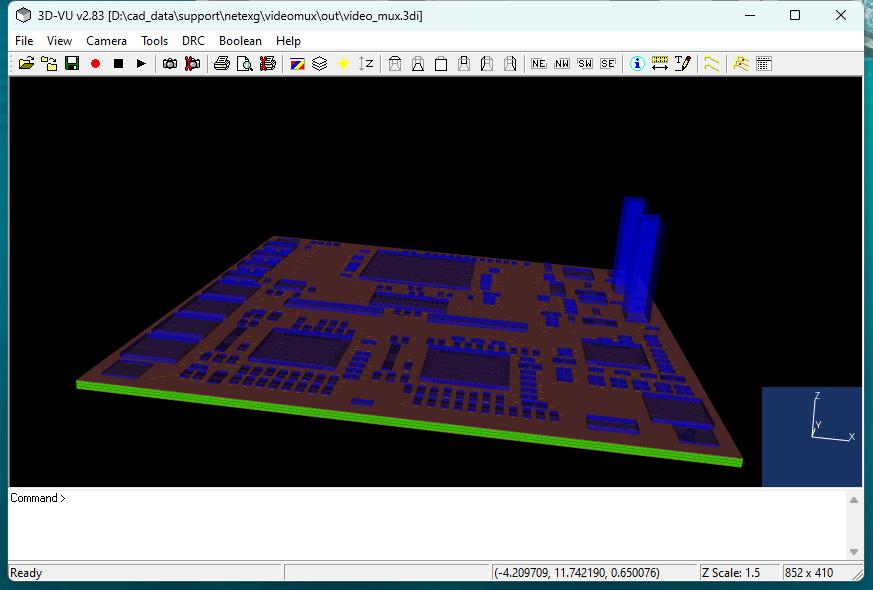
View of the PCB model in Artwork's 3D Viewer. The next image shows a closer view of the top signal layer with the green dielectric beneath it, illustrating how the individual layers form the 3D board model. 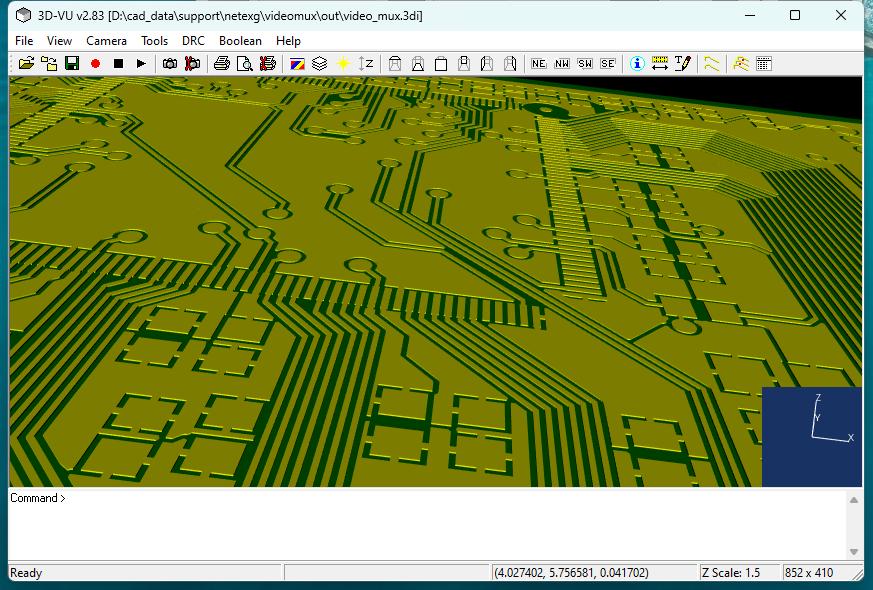
Close-up of the top signal layer and the dielectric below it. Clean geometry for simulation: NetexG conditions the imported artwork and unions overlapping shapes to produce polygons with clean contours. Removing unnecessary overlaps and simplifying the resulting geometry reduce the amount of data passed to the simulation tool. This is particularly important for 3D simulation, where clean geometry and smaller datasets can make model preparation and processing more efficient. Exporting the 3D Model for SimulationArtwork's 3D Viewer (3DVU) provides several export options, allowing the prepared PCB model to be used in COMSOL and other engineering applications. Available formats include:
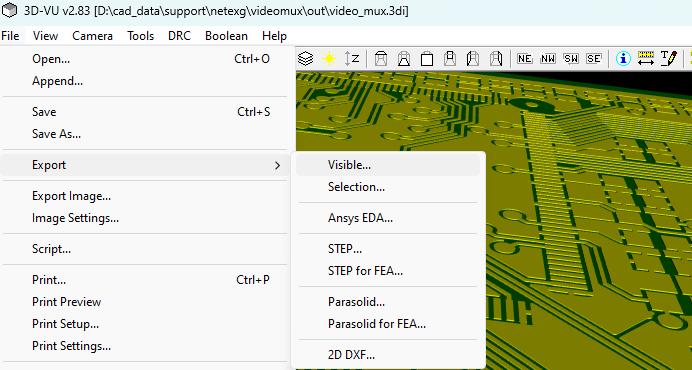
Export options to various 3D Simulation tools. By combining PCB manufacturing-data import, layer selection, geometry cleanup, 3D visualization, and CAD export, NetexG provides a practical path from ODB++ or IPC-2581 data to geometry ready for use in a simulation workflow. Importing the PCB Model into COMSOLOnce the PCB design has been processed by NetexG, the resulting geometry can be imported into COMSOL Multiphysics for simulation. There are two methods available:
Both methods allow engineers to use the PCB geometry generated by NetexG for electrical, thermal, and other multiphysics simulations. |
| Download | Benchmark Files | Revision History | Price |